AI Music Video Maker: Add Audio and Video [2026]
Learn how to combine audio tracks with AI-generated video. Step-by-step guide to adding, syncing, and merging audio and video for professional music videos.
![AI Music Video Maker: Add Audio and Video [2026]](/_next/image?url=%2Fimages%2Fblog%2Fai-music-video-maker-add-audio-video.png&w=3840&q=75 "AI Music Video Maker: Add Audio and Video [2026]")
As of 2026, AI music video makers (tools that automatically combine audio tracks with AI-generated synchronized visuals) eliminate the need for manual timeline editing and beat-matching. Platforms like VibeMV analyze your audio file — MP3, WAV, M4A, or AAC up to 100 MB and 5 minutes — performing automatic beat detection, vocal identification, song structure segmentation, and lip-sync generation. The entire workflow takes 10-20 minutes of active work and 5-15 minutes of rendering, compared to hours with traditional editing software like Adobe Premiere Pro ($23/month). Three main approaches exist: audio-only AI generation, audio with style direction, and audio with existing video clips.
The best way to sync audio and video in an AI music video is to use a music-focused tool like VibeMV that automatically analyzes your audio and generates synchronized visuals. Here are three approaches.
Traditional workflows required expensive software like Adobe Premiere Pro, manual timeline assembly, and hours spent aligning transitions to beats. AI music video makers invert this: you upload your audio, and the platform handles beat detection, segmentation, visual generation, and synchronization automatically. No editing experience needed.
Key Takeaways
- AI music video makers automatically analyze audio and generate visually synchronized video content
- Most platforms accept MP3, WAV, and M4A audio files and output MP4 video files
- Beat detection and tempo analysis enable precise audio-to-video synchronization without manual editing
- Three main workflows exist: audio-only generation, audio with style direction, and audio with video clip integration
- Platforms like VibeMV handle complete audio analysis, beat segmentation, and lip-sync generation in minutes
- Professional music videos that traditionally took hours can now be created in 10-20 minutes
Three Ways to Add Audio and Video with AI
Way 1: Upload Audio, Generate All Video from Scratch
This is the most straightforward approach and the most common use case. You upload your audio file, and the AI platform generates all video content from scratch based on the music's structure, beats, and energy.
The AI analyzes your audio track and breaks it into segments aligned with musical phrases, verses, choruses, and instrumental sections. It then generates unique visuals for each segment—applying consistent styling and visual themes throughout the full song. This workflow is ideal for independent artists who want professional music videos without existing footage.
Way 2: Audio with Reference Images and Style Direction
Some AI music video makers allow you to provide reference images or describe the visual style you want. You might upload a few key frames or write prompts describing the mood, colors, and visual themes you prefer. The AI then generates video segments that match both your audio and your visual direction.
This hybrid approach gives you creative control over aesthetics while the AI handles synchronization and generation. It's useful when you have a specific visual identity but want the efficiency of AI-powered generation.
Way 3: Audio with Existing Video Clips (Advanced)
Advanced AI music video makers can intelligently merge your audio track with existing video clips. The platform analyzes your audio, determines where transitions and cuts should occur based on beats and musical energy, and automatically assembles your video clips into a synchronized sequence.
This workflow is less common because most dedicated music video generation platforms focus on full AI creation. However, it's valuable for artists who have some existing footage they want to incorporate into a larger composition.
Comparison: Three Workflows at a Glance
| Workflow | Best For | Creative Control | Time to Complete | Typical Result |
|---|---|---|---|---|
| Audio only — AI generates all visuals | Independent artists, no existing footage | Medium (prompt-driven) | 10-20 min active | Fully AI-generated music video |
| Audio + reference images / style direction | Artists with a specific visual identity | High (prompts + references) | 15-25 min active | AI video matching your aesthetic |
| Audio + existing video clips | Artists with partial footage | Highest (your clips + AI) | 20-40 min active | Hybrid human/AI music video |
How AI Syncs Audio and Video Automatically
The core technology behind automatic audio-video synchronization is sophisticated audio analysis. When you upload your audio file to an AI music video maker, the platform performs several analysis passes on the track.
Beat Detection and Tempo Analysis — The AI identifies the tempo of your song and detects individual beats. This creates a rhythmic foundation for visual timing. When the video generator creates scene transitions and visual effects, it aligns them to these detected beats, ensuring visuals match the music's rhythm.
Vocal and Instrumentation Detection — Advanced platforms analyze the audio to identify where vocals appear, instrumental breaks occur, and how energy levels change throughout the song. High-energy sections might trigger more dynamic visuals, while quieter passages might show slower transitions.
Segment and Phrase Recognition — The AI breaks your song into logical segments—verses, choruses, bridges—by analyzing the audio structure. Each segment gets its own visual treatment, ensuring the video maintains visual variety and narrative flow that mirrors the song's structure.
Lip-Sync Alignment — For lip-sync mode, the platform analyzes vocal audio features using end-to-end audio analysis and aligns generated character movements to match the vocal timing. This creates the illusion of a character singing your audio, though the visuals are AI-generated.
The combination of these analyses allows an AI music video maker to add audio and video together seamlessly—no manual timeline work required.
Step-by-Step: How to Add Audio and Generate a Music Video (6 Steps)
The following 6-step workflow takes 10-20 minutes of active work plus 5-15 minutes of rendering time, producing a complete synchronized music video from a raw audio file.
Step 1: Prepare Your Audio File
Start with a high-quality audio file in MP3, WAV, M4A, or AAC format. Most platforms support files up to 5 minutes in length. Ensure your audio is normalized (consistent volume levels without extreme peaks, ideally -3dB to -6dB peak). Vocal clarity and instrumental balance matter — if your vocals are too quiet in the mix, beat detection and lip-sync accuracy may suffer.
If you're working from a raw recording, apply basic audio processing: remove background noise, normalize levels to -3dB to -6dB, and add a slight high-shelf EQ boost to enhance clarity. These steps improve the AI's ability to detect beats and analyze vocal content accurately.
Audio format comparison:
| Format | Quality | File Size | AI Analysis | Compatibility | Best Use |
|---|---|---|---|---|---|
| WAV | Lossless — best | Large (50-100 MB for 3-4 min) | Excellent | Universal | Master exports, best AI results |
| MP3 (320 kbps) | Near-lossless | Small (7-10 MB for 3-4 min) | Very good | Universal | Daily use, good balance |
| MP3 (128 kbps) | Noticeable compression | Very small (3-4 MB) | Fair | Universal | Avoid for AI generation |
| M4A / AAC | Good (lossy) | Small-medium | Good | Most platforms | Apple ecosystem exports |
WAV is the recommended format for AI music video generation. If your audio is already in MP3, 320 kbps is acceptable. Avoid files below 192 kbps — the lost detail reduces segmentation and lip-sync accuracy.
Step 2: Upload to an AI Music Video Maker Platform
Visit your chosen AI music video maker platform (like VibeMV) and navigate to the project creation workflow. Upload your prepared audio file through the interface. The platform will verify the file format and duration, then begin automatic audio analysis. This typically takes 30-60 seconds for a 3-5 minute track.
Check the existing guide on how to make a music video with AI for platform-specific details on file upload and requirements.
Step 3: Review AI Audio Analysis and Segmentation
Most platforms display the audio waveform and show how the AI has segmented your track into scenes. Review the proposed breakpoints—verify that transitions align with meaningful moments in your song (chorus starts, verse changes, instrumental breaks).
This is your opportunity to manually adjust segmentation if needed. Some platforms allow you to add or remove segment boundaries. Getting segmentation right at this stage ensures each segment receives appropriate visual treatment in the generation phase.
Step 4: Set Visual Style and Prompts
Specify the visual style you want. Most AI music video makers offer preset styles (cinematic, abstract, retro, vibrant, dark, etc.) and allow you to enter custom prompts describing what you want to see. Use specific language: "neon cyberpunk cityscape" rather than "cool visuals."
Consider your audio's genre and mood when selecting style. A lo-fi hip-hop track pairs well with organic, vintage aesthetics. A high-energy electronic track might benefit from abstract, geometric styles. Write prompts that reinforce your audio's mood and energy rather than fighting against it.
Step 5: Choose Generation Mode
Select between standard video generation and lip-sync mode. Standard mode (also called beat-sync) generates abstract or thematic visuals synchronized to musical beats and energy. Lip-sync mode attempts to generate a character that appears to sing your vocals, which requires more processing time and works best with clear, solo vocals.
For a detailed comparison, see the lip-sync vs beat-sync guide which explains when to use each approach. Lip-sync is excellent for vocal-forward songs but may not suit instrumental tracks or heavily layered productions.
Step 6: Generate, Review, and Download
Initiate the generation process. Most platforms take 5-15 minutes to fully render a music video. During generation, the AI synthesizes video frames for each segment, applies your chosen style consistently, and encodes the final output as an MP4 file at 720p resolution with optional 1440p upscale depending on your plan.
Once complete, preview the video in the platform's player. Check for any audio sync issues, visual consistency, or moments where transitions feel misaligned. Most platforms allow regeneration of specific segments if you're unsatisfied. After approval, download the final file to your computer.
Best AI Music Video Makers for Audio-Video Workflows (2026)
| Tool | Audio Analysis | Auto-Sync | Lip-Sync | Full Song Support | Starting Price |
|---|---|---|---|---|---|
| VibeMV | Smart audio segmentation, vocal detection | Yes | Yes, automatic | Up to 5 min | Free tier / $19/mo |
| Runway | None (manual) | No | Yes (speech-optimized) | Manual clip assembly | $12/mo |
| Pika | None (manual) | No | Limited | Manual clip assembly | Free tier / $8/mo |
| Kaiber | Basic audio analysis | Partial | Yes (basic) | Up to 4 min | from $5/mo |
| Sora | None (manual) | No | No | Manual clip assembly | $20/mo |
Competitor pricing is approximate and may have changed. Visit each tool's website for current rates.
VibeMV stands out for dedicated audio analysis and automatic synchronization. The platform analyzes your complete audio track, segments it intelligently, and generates visuals that align to detected beats and vocal timing without any manual work from you.
Runway excels at lip-sync quality but requires manual video composition—you generate individual clips and assemble them on a timeline yourself, limiting its effectiveness as an automatic audio-video sync tool.
Pika and Kaiber offer good video generation but lack automatic audio analysis, meaning you'd need to manually time video clips to match your music.
For a thorough comparison of all major platforms, review the complete AI music video generator comparison.
Limitations and Honest Trade-Offs
AI audio-video synchronization has advanced significantly, but understanding the remaining limitations helps you make informed decisions:
- Automatic sync is not perfect — while AI beat detection handles standard 4/4 time well, complex time signatures (5/4, 7/8), tempo changes, and rubato passages may produce misaligned transitions that require manual segment adjustment
- AI-generated visuals vs. real footage — AI produces stylized, creative visuals rather than photorealistic filmed footage. For artists who need real-world location shots or performance footage, AI generation is a complement rather than a replacement
- Style prompt learning curve — getting specific, high-quality results requires learning how to write effective prompts. Generic descriptions produce generic output, and the difference between a weak and strong prompt is significant
- Credit consumption scales with iteration — while individual generations are affordable, extensive experimentation across 20+ segments for a 4-minute track can consume 1,000+ credits
Despite these trade-offs, AI music video makers represent the most accessible and cost-effective path from audio file to finished music video for independent artists and producers.
Tips for Better Audio-Video Sync
Use High-Quality Audio Input — The AI's sync accuracy depends directly on audio quality. Clean audio with clear beats and distinct vocal presence yields better synchronization. If your track has muddied low-end or compressed dynamics, spend a few minutes cleaning it up before upload.
Write Specific Visual Prompts — Generic prompts like "cool visuals" produce generic results. Instead, write: "futuristic neon city at night, flying through digital landscapes, particle effects, cyan and magenta colors." Specific language directs the AI toward cohesive visual generation.
Match Style to Genre — Select visual styles that complement your audio's genre and energy. Ambient music benefits from organic, nature-inspired aesthetics. Electronic music pairs well with geometric, digital styles. Hip-hop often suits urban, street-art themes.
Segment Strategically — If the platform allows manual segmentation adjustment, think about visual storytelling. Verses might show intimate perspectives, choruses could shift to wider, more energetic scenes. This creates a narrative arc that mirrors your song's emotional progression.
Optimize for Platform — If you're creating content for specific platforms, consider their requirements. Check our guides on creating music videos for YouTube and TikTok music video creation for platform-specific optimization tips.
Consider Lip-Sync Carefully — Lip-sync generation works best with isolated vocals or prominent vocal tracks. If your vocal is buried in a dense mix, the AI may struggle with precise mouth alignment. Test lip-sync on a 15-30 second preview before committing to full-track generation.
Regenerate Problem Sections — Most platforms allow segment-by-segment regeneration. If one section feels misaligned or doesn't match your vision, regenerate just that segment rather than the entire video.
Frequently Asked Questions
Q: Can AI music video makers combine existing audio and video?
A: Yes. As of 2026, modern AI music video platforms like VibeMV accept audio files and generate synchronized visuals automatically. You upload your audio track and the platform handles beat detection (automatic identification of rhythmic pulses in music), visual generation, and audio-video synchronization. Some advanced platforms can also merge your audio with existing video clips, though pure AI generation from audio is the standard approach.
Q: What is the difference between generating video from audio vs. adding audio to video?
A: Generating from audio means AI creates all visuals from scratch based on your audio file — the platform analyzes the music, detects beats, and generates video segments timed to the audio. Adding audio to video means combining pre-recorded video footage with an audio track on a timeline. AI music video makers do both, but the key advantage is that AI-powered audio-to-video generation eliminates manual synchronization work entirely.
Q: How does AI sync audio to video automatically?
A: AI music video makers analyze the audio waveform to detect beats, tempo changes, vocal sections, and energy patterns. The platform identifies these timing anchors, then aligns visual transitions, scene changes, and effects to match musical beats. For lip-sync mode, the AI performs end-to-end audio analysis and aligns generated mouth movements to vocal timing automatically. This analysis happens in seconds during the generation phase — no manual timeline adjustments needed.
Q: What audio and video formats are supported?
A: Most AI music video platforms accept MP3, WAV, M4A, and AAC audio formats. VibeMV accepts audio files up to 100 MB and 5 minutes in length. Output is MP4 video (H.264 encoding) at 720p resolution with optional 1440p upscale depending on your subscription tier. WAV at 44.1kHz or 48kHz produces the best AI analysis results, followed by MP3 at 320kbps.
Q: Do I need editing skills to add audio and video together with AI?
A: No. AI music video makers handle audio analysis, beat detection, and audio-video synchronization automatically. You upload your files, choose a visual style through preset options or text prompts, and the platform produces a synced music video. No timeline editing, keyframing, or post-production experience is required.
Q: How long does AI music video generation take?
A: Most AI music video platforms take 5-15 minutes to render a full-length track (3-4 minutes of music). Active work — uploading audio, reviewing segmentation, writing prompts, and configuring settings — takes 10-20 minutes. Total time from starting a new project to downloading a finished video is typically under 30 minutes, compared to 4-8+ hours with traditional video editing software.
Q: What is the best AI music video maker for syncing audio and video automatically in 2026?
A: For automatic audio-video synchronization from a complete audio file, VibeMV is the most capable dedicated option. It performs smart audio segmentation, vocal detection, beat-synced visual generation, and automatic lip-sync in a single workflow with no manual timeline work. Runway and Pika produce higher raw video quality for individual clips but require manual assembly with no automatic audio analysis. Kaiber offers basic audio-reactive generation but with less precision for music-specific workflows.
Ready to Create Your Music Video
Creating professional music videos no longer requires expensive software, extensive editing skills, or hours of manual work. An AI music video maker handles the technical complexity—audio analysis, beat detection, visual generation, and synchronization—letting you focus on your creative vision.
The process is straightforward: upload your audio, choose your visual style, and let the platform generate a synchronized music video in minutes. Whether you're an independent artist, producer, or content creator, AI-powered music video generation makes professional video production accessible to everyone.
Ready to add your audio to AI-generated video and create your first synced music video? Start with the AI music video generator today, then review pricing if you want to size a full-song workflow.
Ready to add your audio to AI-generated video? Start with VibeMV's AI music video generator — upload your track and generate a synced music video in minutes.
More Posts
![Audio to Video AI: Complete Guide to Converting Sound into Visuals [2026]](/_next/image?url=%2Fimages%2Fblog%2Faudio-to-video-ai-guide.png&w=3840&q=75 "Audio to Video AI: Complete Guide to Converting Sound into Visuals [2026]")
Audio to Video AI: Complete Guide to Converting Sound into Visuals [2026]
Turn any audio file into video with AI. Covers music videos, podcast clips, visualizers, and audio-video sync — with tool comparisons, workflows, and pricing for each use case.

How to Make a Music Video in 2026: Complete Beginner's Guide
Learn how to make a music video with AI, phone footage, or a traditional production workflow. Compare methods, budgets, formats, and next steps for YouTube, TikTok, and Instagram.
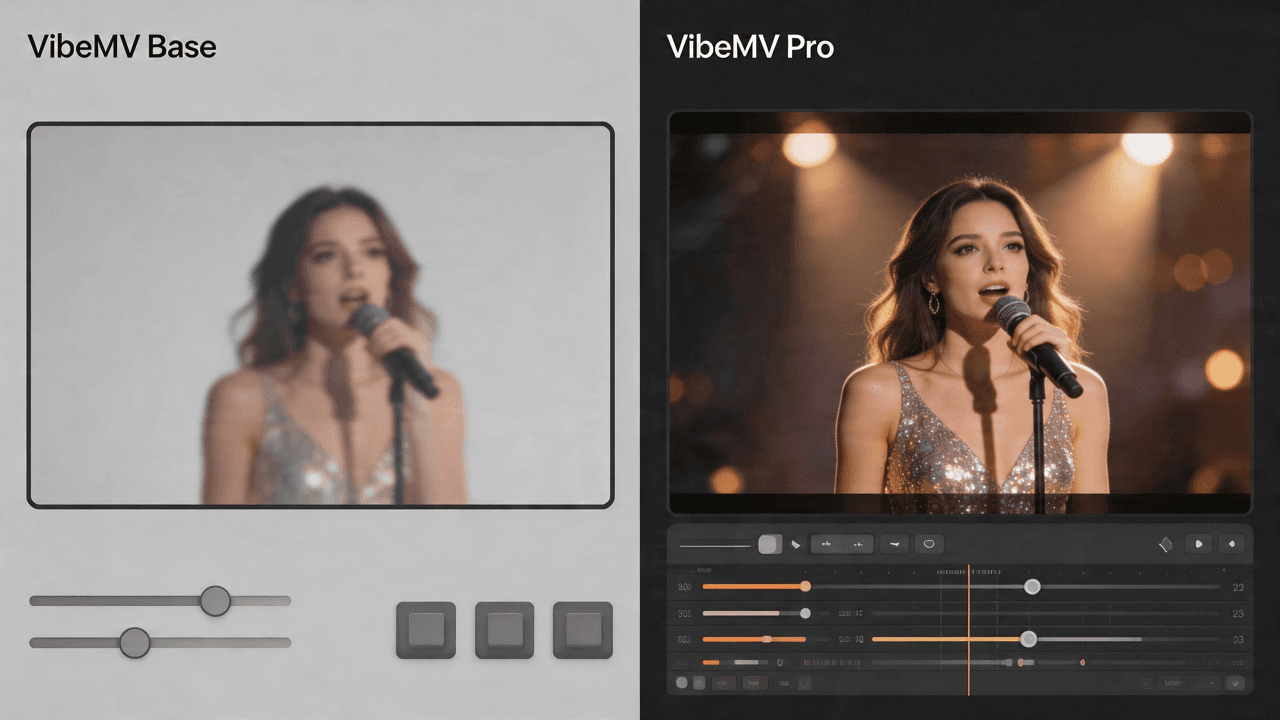
VibeMV Base vs Pro: Which Model Tier Should You Choose?
Not sure if VibeMV Pro is worth 6x the credits? This guide breaks down exactly when Base is enough and when Pro makes a visible difference — with real cost examples.