Turn a Song into a Lip Sync Music Video with AI [2026]
Turn any song into a professional lip sync music video using AI. Upload your track, choose a character, and generate realistic singing animations in minutes.
![Turn a Song into a Lip Sync Music Video with AI [2026]](/_next/image?url=%2Fimages%2Fblog%2Fturn-song-into-lip-sync-music-video.png&w=3840&q=75 "Turn a Song into a Lip Sync Music Video with AI [2026]")
Summary: As of 2026, AI lip-sync technology lets any musician turn a song into a lip-sync music video in 5-15 minutes without filming equipment or motion capture. The process works by uploading audio, which the AI analyzes to isolate vocals, extract audio features, and generate synchronized mouth movements on a character face. Pop, R&B, and ballads produce the best sync accuracy because clear vocals and moderate tempo give the AI clean audio signals. Standard output is 720p with optional 1440p upscaling, in both 16:9 (YouTube) and 9:16 (TikTok/Reels) aspect ratios. Lip-sync music videos outperform abstract visuals on engagement metrics because face-present content drives higher watch time, shares, and replay rates across all major platforms.
You can turn any song into a lip-sync music video using AI tools like VibeMV, which automatically detects vocals and generates synchronized mouth movements. No filming or motion capture needed.
This tutorial walks you through the full process, from uploading your audio to exporting a finished lip sync video. Whether you are releasing a single, building content for social media, or experimenting with visual storytelling, this guide covers everything you need to get started.
Which guide should you read next? This page is the lip-sync workflow. For the technical explanation, read AI Lip Sync Music Videos. For tool selection, compare the best AI lip-sync music video tools. If your track is rap-heavy, use How to Make a Rap Music Video with AI.
Why Lip Sync Music Videos Drive Higher Engagement
Music videos with visible singing faces outperform abstract or lyric-based visuals across nearly every platform metric. There are a few reasons for this.
Human connection is hardwired. Viewers are drawn to faces. A character singing your lyrics creates an emotional anchor that purely instrumental or abstract visuals cannot match. Research on social media engagement consistently shows that face-present content receives significantly more watch time and shares — because humans are neurologically wired to attend to faces, this effect holds across every major platform.
Authenticity sells on social platforms. TikTok, Instagram Reels, and YouTube Shorts algorithms prioritize content that holds attention. Lip sync videos naturally keep viewers watching because the visual and audio are tightly linked. People stay to see if the sync holds up, and when it does, they share it.
Higher retention and replay rates. When mouth movements match vocals convincingly, viewers are more likely to replay the video. This signals platform algorithms to push the content further, therefore creating a compounding visibility effect that grows over time.
For independent artists especially, lip sync videos can serve as a low-cost substitute for traditional music videos while still delivering professional-quality visual content. If you are an independent musician looking for broader strategies, our guide on AI music videos for independent artists covers distribution and marketing tactics beyond production.
How VibeMV Auto-Detects Vocals and Applies Lip Sync
Understanding what happens behind the scenes helps you prepare better audio and get better results. Here is a simplified breakdown of how the lip sync pipeline works.
Vocal Detection
When you upload a track, the AI analyzes the audio to detect which sections contain vocals and which are purely instrumental. The cleaner your vocal mix, the more accurate this step is. If you already have an isolated vocal stem, the system can work directly with the clean signal for even better results.
Audio Feature Extraction
Once the vocal is isolated, the AI extracts detailed audio features from the singing using advanced audio processing models. These features capture the nuances of vocal delivery — pitch, timing, mouth shape cues, and the transitions between sounds — creating a rich representation of the vocal performance.
Mouth Movement Generation
The extracted audio features are fed into an AI model that generates natural mouth movements matching the vocal audio. Rather than relying on a fixed lookup table of mouth shapes, the model learns the relationship between audio patterns and realistic mouth motion from large datasets of real speech and singing.
Face Generation and Animation
Finally, the AI renders a character face and animates it according to the generated mouth movements. This step uses generative video models to produce fluid, natural-looking facial animation rather than snapping rigidly from shape to shape.
For a deeper technical dive into each of these stages, including tips on troubleshooting sync issues, see our complete guide to AI lip sync music videos.
Lip Sync Video Generation: Key Specifications
- Supported audio formats: MP3, WAV, M4A, AAC (up to 100 MB)
- Audio analysis time: 30 seconds to 2 minutes
- Generation time: 5-15 minutes for a 3-4 minute song
- Output resolution: 720p standard, 1440p with upscale
- Aspect ratios: 16:9 (YouTube) and 9:16 (TikTok/Reels)
- Credit cost: 2 credits per second of video (360 credits for a 3-minute song)
- Best vocal types: Clean, well-mixed vocals at moderate tempo
- Character input: Reference image upload or AI-generated from text prompt
Step-by-Step: Turn Your Song into a Lip Sync Video
Here is the practical workflow from start to finish.
1. Upload Your Song
Start from the AI music video generator and create a new project. Upload your audio file in MP3, WAV, M4A, or AAC format. WAV files produce the best analysis results because they preserve the full audio signal without compression artifacts.
2. AI Analyzes Your Audio
After upload, the platform processes your track. During this step, the AI detects vocal sections, isolates the singing voice, and identifies the structure of the song. This typically takes 30 seconds to 2 minutes depending on track length.
3. Select Lip Sync Mode
Choose lip sync mode from the generation options. This tells the AI to focus on creating a character with synchronized mouth movements rather than generating abstract or scenery-based visuals.
4. Choose a Character Reference
You have two options here:
- Provide a reference image. Upload an image of the character you want singing. This works best with front-facing portraits where the mouth is clearly visible.
- Let the AI generate a character. Describe the character you want through a text prompt (for example, "young woman with dark hair in a recording studio") and the AI will create a face to animate.
5. Visual Style Direction
Use the AI Director to auto-generate style guidance matched to your song's mood, or write a custom prompt describing the aesthetic you want. Cinematic styles work well for ballads and emotional tracks. Anime or illustrated styles suit pop and electronic genres. Keep in mind that the character's face needs to remain consistent and visible throughout for lip sync to work properly.
6. Generate the Video
Click generate and wait for the AI to render your video. A typical 3-4 minute song takes 5-15 minutes to process. The system generates each segment of the song with the lip-synced character and stitches them together.
7. Review Lip Sync Accuracy
Watch the result with attention to mouth-audio alignment. Check for:
- Consonant timing (hard sounds like "B" and "T" should hit precisely)
- Vowel shapes (open sounds should show an open mouth)
- Transitions between words (smooth rather than jerky)
If certain sections feel off, you can regenerate individual segments without reprocessing the entire video.
8. Export and Share
Download your finished video in the resolution you need. VibeMV supports both 16:9 landscape and 9:16 vertical formats natively for lip-sync — generate directly in 9:16 for TikTok and Instagram Reels without cropping. The 16:9 format works directly for YouTube.
For a broader tutorial on turning songs into AI videos beyond just lip sync, see our song-to-video AI guide.
Audio Preparation Tips for Best Lip Sync Results
The quality of your lip sync output depends heavily on the quality of your input audio. Here are the most impactful preparation steps.
Use clean, well-mixed vocals. Lip sync accuracy drops when vocals are buried in the mix, heavily layered with effects, or competing with loud instrumentation. A clean vocal recording with standard compression and EQ produces the best sync.
Keep reverb moderate. Heavy reverb smears syllable boundaries, making it harder for the AI to detect when one sound ends and the next begins. A dry or lightly reverbed vocal track gives the sharpest results.
Enunciate clearly in the recording. This is a tip that benefits both the listener and the AI. Clear enunciation means cleaner syllable transitions, which translates directly to more precise mouth movements in the output.
Provide a separated vocal stem if possible. If you have access to your project files, exporting a solo vocal stem gives the lip sync engine the cleanest possible input and can improve results.
Avoid heavy pitch correction artifacts. Aggressive autotune or pitch correction can introduce metallic, synthetic qualities that reduce lip sync accuracy. Natural or lightly corrected vocals process more reliably.
Genre Recommendations for Lip Sync
Different genres produce different lip sync results. Here is what to expect.
| Genre | Lip-Sync Quality | Best Settings | Notes |
|---|---|---|---|
| Pop and R&B | Excellent | Standard lip-sync mode, any character style | Clear vocals and moderate tempo give the AI ideal input for accurate mouth movements |
| Ballads and Acoustic | Excellent | Lip-sync mode with portrait or cinematic style | Slow tempo gives the AI more time per vocal articulation; clean audio produces the sharpest results |
| Rap and Hip-Hop | Good | Isolated vocal stem recommended | Fast flows may show slight timing variations; standard tempo syncs reliably |
| Electronic and Dance | Good for vocal sections | Switch to non-lip-sync style for drops | Lip sync on vocal hooks; use abstract or scenery visuals for instrumental sections |
| Rock | Variable | Clean vocal take; avoid heavy distortion on input | Clean rock vocals sync well; screamed or heavily distorted vocals reduce accuracy |
Frequently Asked Questions
How do I turn my song into a lip sync video?
Upload your audio to an AI music video generator like VibeMV, select lip sync mode, choose a character reference or let the AI generate one, and click generate. The AI automatically detects vocals and creates matching mouth movements. The entire process takes 5-15 minutes for a typical song. You can review the results and regenerate specific sections if any part of the sync needs adjustment.
What kind of songs work best for AI lip sync videos?
Songs with clear, well-mixed vocals produce the best lip sync results. Pop, R&B, and ballads with moderate tempo sync most accurately because the AI can cleanly detect individual syllable boundaries. Rap works well too, though very fast flows may show slight timing variations in mouth movements. The most important factor is vocal clarity rather than genre itself.
Do I need a character image for lip sync?
Not necessarily. Most AI platforms can generate a character for you based on style preferences or a text description. However, providing a reference image of your desired character gives you more control over the final look and ensures consistency across multiple videos. If you do provide an image, use a front-facing portrait with a clearly visible mouth for the best sync results.
How long does it take to generate a lip sync music video?
A typical 3-4 minute song takes 5-15 minutes to generate. The AI processes each segment of your song with the lip-synced character and combines them into the final video. Shorter clips generate faster, and you can always regenerate individual segments without reprocessing the entire song.
Can I use lip sync for videos on TikTok and Instagram?
Yes. VibeMV lip-sync supports both 16:9 landscape and 9:16 vertical formats natively — you can generate directly in 9:16 for TikTok and Instagram Reels without needing to crop. The 16:9 format works directly for YouTube. For a detailed guide on creating TikTok-optimized music videos, see our TikTok music video guide.
Does lip-sync work with any genre?
Lip-sync works across most genres, but results vary. Pop, R&B, and ballads produce the best accuracy because clear vocals and moderate tempo give the AI clean audio signals to work from. Rap and hip-hop work well at standard delivery speeds, though very fast flows may show slight looseness in sync. Rock and electronic genres are variable depending on how clean the vocals are. The most important factor is vocal clarity in your audio file, not the genre itself.
What resolution do AI lip-sync videos produce?
Standard AI lip-sync output is 720p with optional upscaling to 1440p for higher-detail output. VibeMV supports both 16:9 landscape and 9:16 vertical aspect ratios natively for lip-sync. Generate directly in 9:16 for TikTok and Instagram Reels, or 16:9 for YouTube — no cropping needed for either format.
How much does an AI lip sync music video cost?
On VibeMV, credits are consumed at 2 per second of video. A 3-minute lip-sync music video therefore uses approximately 360 credits. Credit packs start at $19, making the cost per full-length lip-sync video significantly less than traditional music video production, which typically starts at $2,000-$5,000 for even a basic shoot.
Can I use the same character across multiple lip sync videos?
Yes. By uploading the same reference image for each video, you can maintain a consistent AI avatar across your entire catalog. Because the AI uses your reference image as the basis for face generation, your character will look recognizably similar across videos — which helps build a visual brand identity over time.
Start Creating Lip Sync Videos Today
Lip sync music videos used to require animation teams, motion capture rigs, and budgets that most independent creators could not justify. AI has changed that equation entirely. You can now turn a finished song into a convincing lip sync video in less time than it takes to set up a traditional shoot.
The key factors for great results are clean vocal audio, a suitable character reference, and choosing the right mode for your track. Follow the preparation tips in this guide, and you will get professional-looking output on your first try.
Ready to create your first lip sync music video? Start with the AI music video generator and upload your track to see how it works. If you plan to render full songs often, review pricing. For more strategies on using AI video as part of your release plan, check out our guide on AI music videos for independent artists.
More Posts
![Audio to Video AI: Complete Guide to Converting Sound into Visuals [2026]](/_next/image?url=%2Fimages%2Fblog%2Faudio-to-video-ai-guide.png&w=3840&q=75 "Audio to Video AI: Complete Guide to Converting Sound into Visuals [2026]")
Audio to Video AI: Complete Guide to Converting Sound into Visuals [2026]
Turn any audio file into video with AI. Covers music videos, podcast clips, visualizers, and audio-video sync — with tool comparisons, workflows, and pricing for each use case.

How to Make a Music Video in 2026: Complete Beginner's Guide
Learn how to make a music video with AI, phone footage, or a traditional production workflow. Compare methods, budgets, formats, and next steps for YouTube, TikTok, and Instagram.
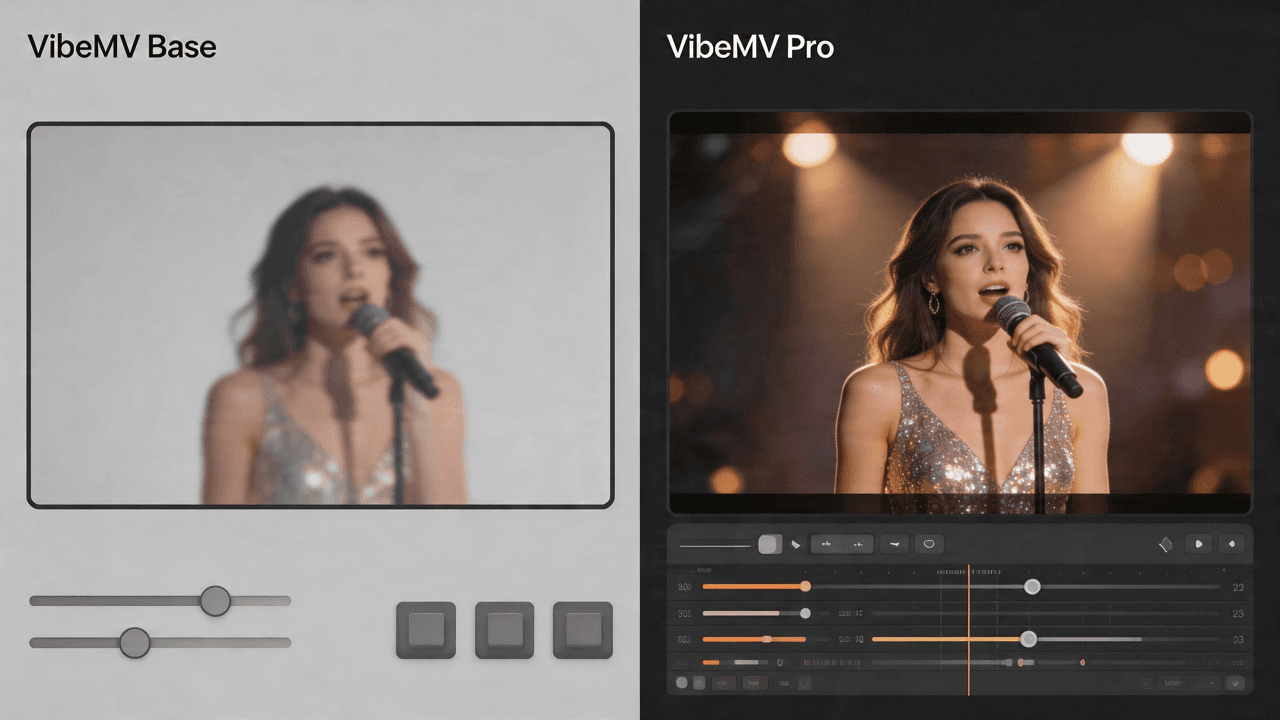
VibeMV Base vs Pro: Which Model Tier Should You Choose?
Not sure if VibeMV Pro is worth 6x the credits? This guide breaks down exactly when Base is enough and when Pro makes a visible difference — with real cost examples.